The danger of password reuse
TANZANIA: EVERY day, millions of people use passwords for phones, email, bank accounts, social media, shopping, and work systems. Passwords protect money, personal information, and digital identity. But many people use the same password for many accounts. This puts them at risk from cybercriminals. Think of using one key for your house, office, car, and … The post The danger of password reuse appeared first on Daily News.
 Black News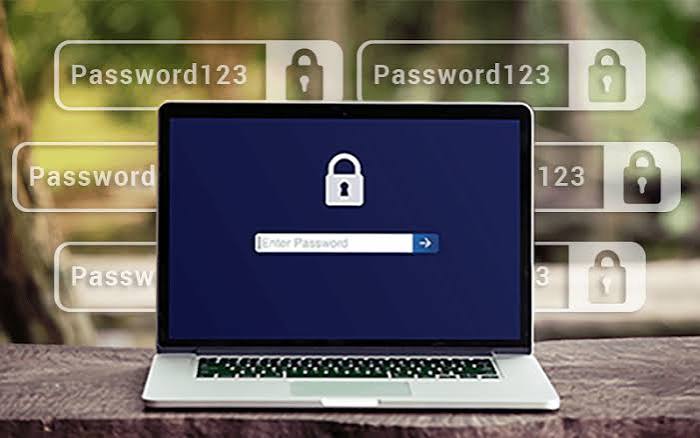
TANZANIA: EVERY day, millions of people use passwords for phones, email, bank accounts, social media, shopping, and work systems. Passwords protect money, personal information, and digital identity. But many people use the same password for many accounts. This puts them at risk from cybercriminals.
Think of using one key for your house, office, car, and bank safe. If a thief gets that key, everything is at risk. The same is true for passwords. During the second week of Cybersecurity Awareness Month, the focus is access management: the danger of password reuse and how people and organisations can protect themselves.
One password, many doors
A small business owner in Dar es Salaam uses the same password for Facebook, Gmail, online banking, and company accounting. One day, an online shopping website they used is hacked. Criminals steal login details. They then try those details on other popular websites. If the password was reused, attackers may reach email, social media, and financial accounts. One website’s problem spreads to many accounts. This is the domino effect: one compromised password can expose many accounts.
Credential stuffing
Criminals use credential stuffing. They take usernames and passwords stolen from one website and automatically try them on many other websites. After a data breach, they may get thousands of email and password pairs.
Automated programs test them on email, social media, and other accounts. They do not need advanced hacking skills. They rely on people reusing passwords. Not every attempt works, but even a small success gives access to valuable accounts. A strong password with letters, numbers, and symbols is still weak if it is reused and stolen. Its protection drops once criminals know it and use it elsewhere.
Why email needs special protection
Email is especially important. Email addresses are used to register banking apps, social media, business services, and government platforms. If you forget a password, many services send a reset link or verification message to your email. If criminals access your email, they may reset passwords for other services linked to it.
A Tanzanian entrepreneur using one password for personal email and business apps could expose personal and company information. The results may include financial fraud, identity theft, loss of confidential business information, and damage to reputation. Protect email with a unique password and extra verification.
Password fatigue
If password reuse is dangerous, why do people do it? Password fatigue. People manage many accounts; email, Facebook, Instagram, school portals, office systems, banking, apps, and shopping. Remembering different passwords is hard. So they take shortcuts; names, birthdays, “123456,” or one complicated password everywhere. Convenience has a cost. The solution is not to memorise dozens of complex passwords. Tools can help.
Password managers
A password manager stores and manages passwords securely. It is like a digital safe for your online keys. It can generate, store, and fill in different passwords for different websites. For example, one strong password for Gmail, another for Facebook, and another for banking. The user does not need to memorise them all. Many password managers use encryption, so stored information is unreadable without the unlock method.
Examples include features from Google, Apple, and Microsoft, plus dedicated password managers. Choose reputable solutions, understand how they protect passwords, and secure them with a strong, unique master password and Multi-Factor Authentication (MFA) where supported. A password manager reduces the temptation to reuse passwords, though no tool removes every risk.
ALSO READ: Cybersecurity takes centre stage in Tanzania’s financial sector
Add another layer
Passwords alone are not enough. Experts recommend multifactor authentication, or MFA. MFA asks for extra proof beyond a password. After entering a password, a banking app may require an authenticator app, fingerprint, or another approved method. Even if criminals get the password, MFA makes unauthorised access harder. In Tanzania, where digital banking, mobile money, and online services are growing, MFA helps individuals and businesses. Never share verification codes, PINs, or authentication requests with anyone claiming to be a bank employee, mobile network representative, or technical support officer. Passkeys also offer a promising alternative. They let users sign in with device-based authentication, reducing risks from stolen and reused passwords.
Password security is also a business responsibility
Password reuse is not only a personal problem. It can become a serious organisational risk. Imagine an employee using the same password for personal social media and company email. If the personal account is hacked, criminals may try the stolen password against the workplace account. Once inside, they could access business communications, confidential documents, or other systems, depending on permissions and security controls. Businesses should set clear password and access policies. Employees should use unique work passwords, enable MFA, and avoid sharing login details. Organisations should provide approved password managers, regularly review who can access sensitive systems, and remove access promptly when employees leave or change roles. Cybersecurity training is also important because technology cannot fix unsafe behaviour.
Simple steps everyone can take
Protecting yourself does not require advanced technical knowledge;
-Identify important accounts; email, banking, mobile money, and work services.
-Use a different password for each account.
-Use a reputable password manager to generate and store them.
-Enable MFA wherever possible, especially for email and financial services.
-If a website you use has a data breach, change that password immediately.
If you reused it elsewhere, change it there too.
-Avoid suspicious links asking you to confirm or update passwords.
Open the official website or app directly.
-Never assume a password is safe because it is hard to guess.
If it was stolen from another service, criminals may already know it.
Cybersecurity begins with everyday choices
As Tanzania embraces digital services, protecting online accounts is increasingly important. Mobile banking, e-government, online education, and digital business create opportunities. They must be supported by responsible cybersecurity practices. The message for this second week of Cybersecurity Awareness Month is simple: one password should protect one account, not your entire digital life. Password managers, unique passwords, and MFA can greatly reduce the risks of stolen credentials. Cybercriminals do not always break down the door. Sometimes they simply use a key that has already been stolen. Do not let one compromised password become the first falling domino in your digital life.
The post The danger of password reuse appeared first on Daily News.